
BaykedStation
Cannabis Weighing Software, Right at the Scale
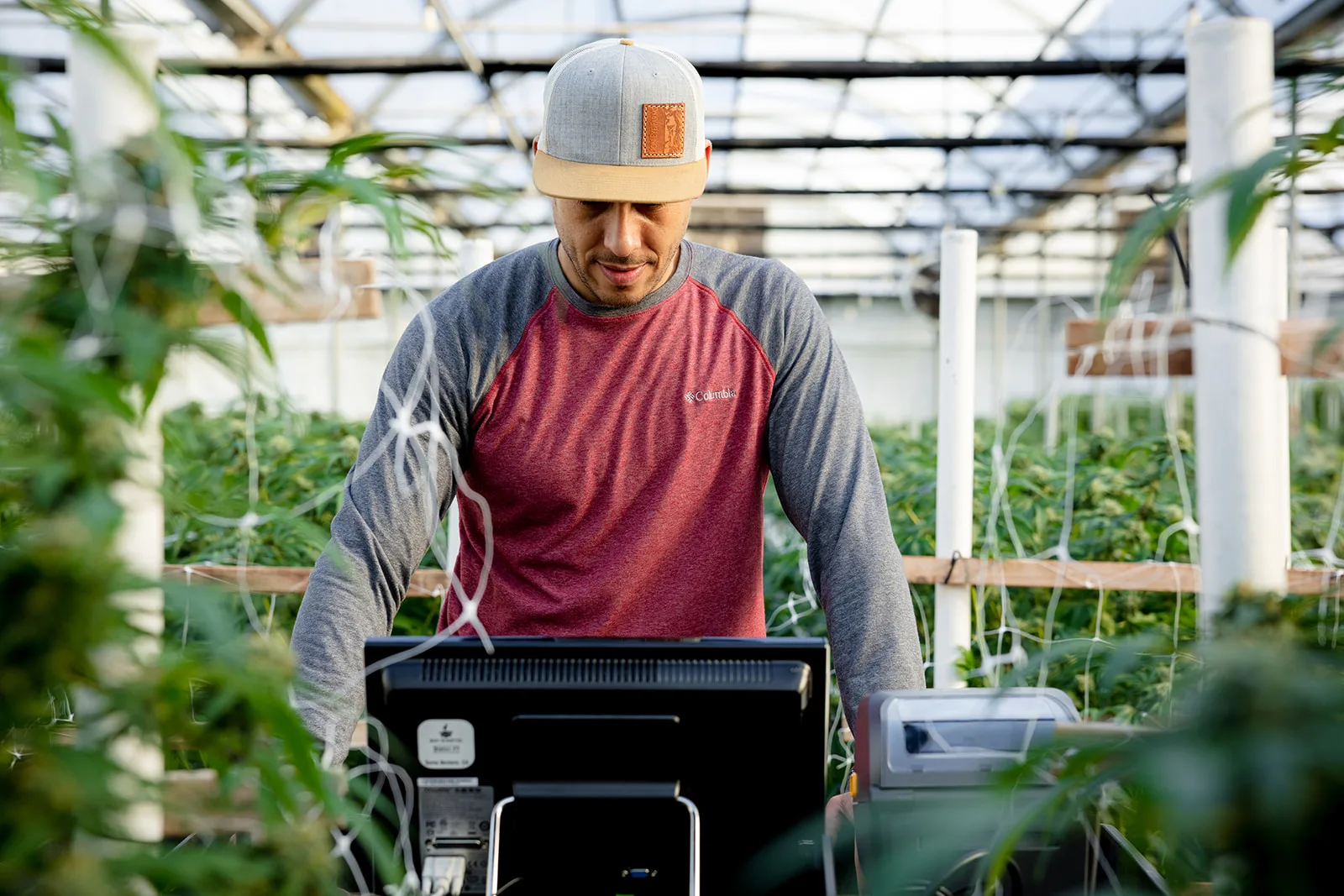
Pair BaykedStation with your NTEP scale and every weight goes to BaykedFarm with its license, strain, tags and tote. Your crew presses Print; nobody writes it down or types it in again.
Bay Kinetic platform data, deduplicated, test accounts excluded, as of 27 Oct 2026. “Past year” is 28 Oct 2025 to 27 Oct 2026.
How it works
Stop Writing Scale Weights on Paper
On most farms a weight goes from the scale to a clipboard, from the clipboard to a spreadsheet, and from the spreadsheet to METRC. Every hop is a chance to get it wrong.
The Paper Way
- Someone sets the tote on the scale.
- Someone writes the weight on a sheet.
- Someone else types the sheet into a spreadsheet, later.
- Someone reconciles the typos and the missing totes.
- The office waits for the numbers.
With BaykedStation
- Your crew sets the tote on the scale and presses Print.
- BaykedStation reads the weight straight from the scale.
- The weight is saved with the license, strain, item type and package tag already set.
- The record is stored on the station, even when the signal drops.
- It reaches BaykedFarm within seconds, ready for review.
01
Scale
Your NTEP scale or indicator sends the reading over its serial (RS-232) port each time you press Print.
02
BaykedStation
Attaches the license, strain, item type, tags and tote, and in the trim room, the trimmer.
03
BaykedFarm
Your team checks the totals and confirms them with the person at the scale.
04
METRC
Approved records are reported to METRC from BaykedFarm.
The clipboard can go back to holding the lunch order.
One Station, Three Production Workflows
Run your whole process on one BaykedStation, or set up a station for each stage: dry, buck, trim, sort, grade. Our clients run up to five stations at once at a single facility.
Trim Room
Every weight credited to the trimmer who badged in, with shift totals as you go.
Workflow 01 · Harvest
Harvest Weight Capture
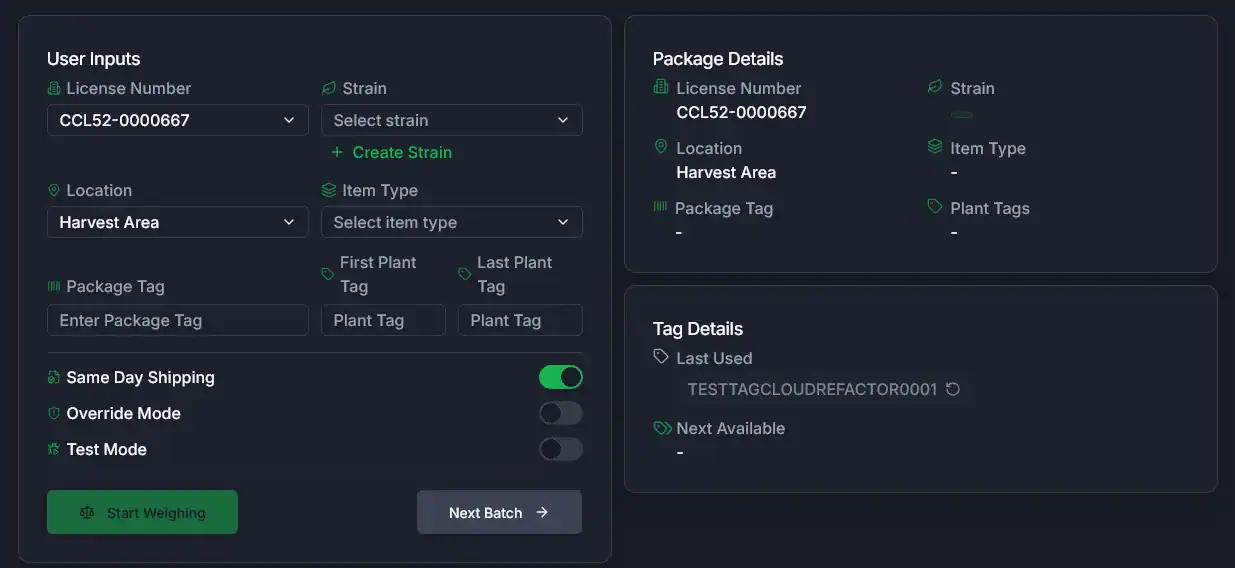
Set the batch once, then weigh. Every tote that follows carries the license, location, strain, item type and package tag, so nobody rebuilds the day from a sheet.
800+ harvest batches and 1.1M+ lb of wet harvest were weighed on BaykedStation in the past year.
Every Tote Tied to Its Harvest Batch
A harvest batch is the group of plants METRC tracks as one harvest. Each tote is weighed into its package, so tote counts and running totals build as you go. Next Batch clears the form for the next one.
Plant Tags and Package Tags Without Retyping
Scan the first and last plant tag for the batch. Next Available lists unused package tags from your license’s METRC tag inventory; tap one and it’s in the form. 21,000+ harvest weighings were recorded against their METRC tag in the past year.
METRC Package Tags Now, or Internal Tags for Later
Shipping the same day? Turn on Same Day Shipping and scan the METRC package tag for each package. Not yet? Turn it off and the station generates internal tags, so you can make the METRC package later in BaykedFarm.
Harvest Weight Records
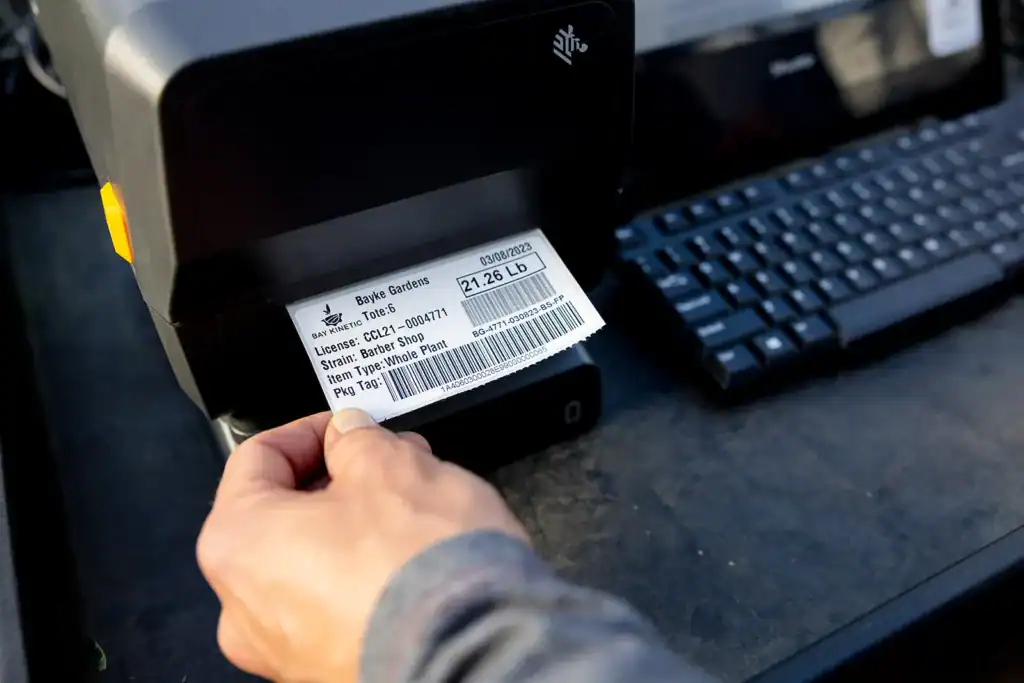
Below the form, Weight Records lists every weighing and Package Weight Records groups each package’s totes under its total, with Total Totes, Total Packages and Total Weight underneath. Open a package to see every weighing, and void a misweigh with a reason. Each weigh-in can also print a label with its weight, strain, item type and package-tag barcode.
Read more: what a compliant harvest looks like in METRC.
Workflow 02 · Processing
Processing Weight Capture
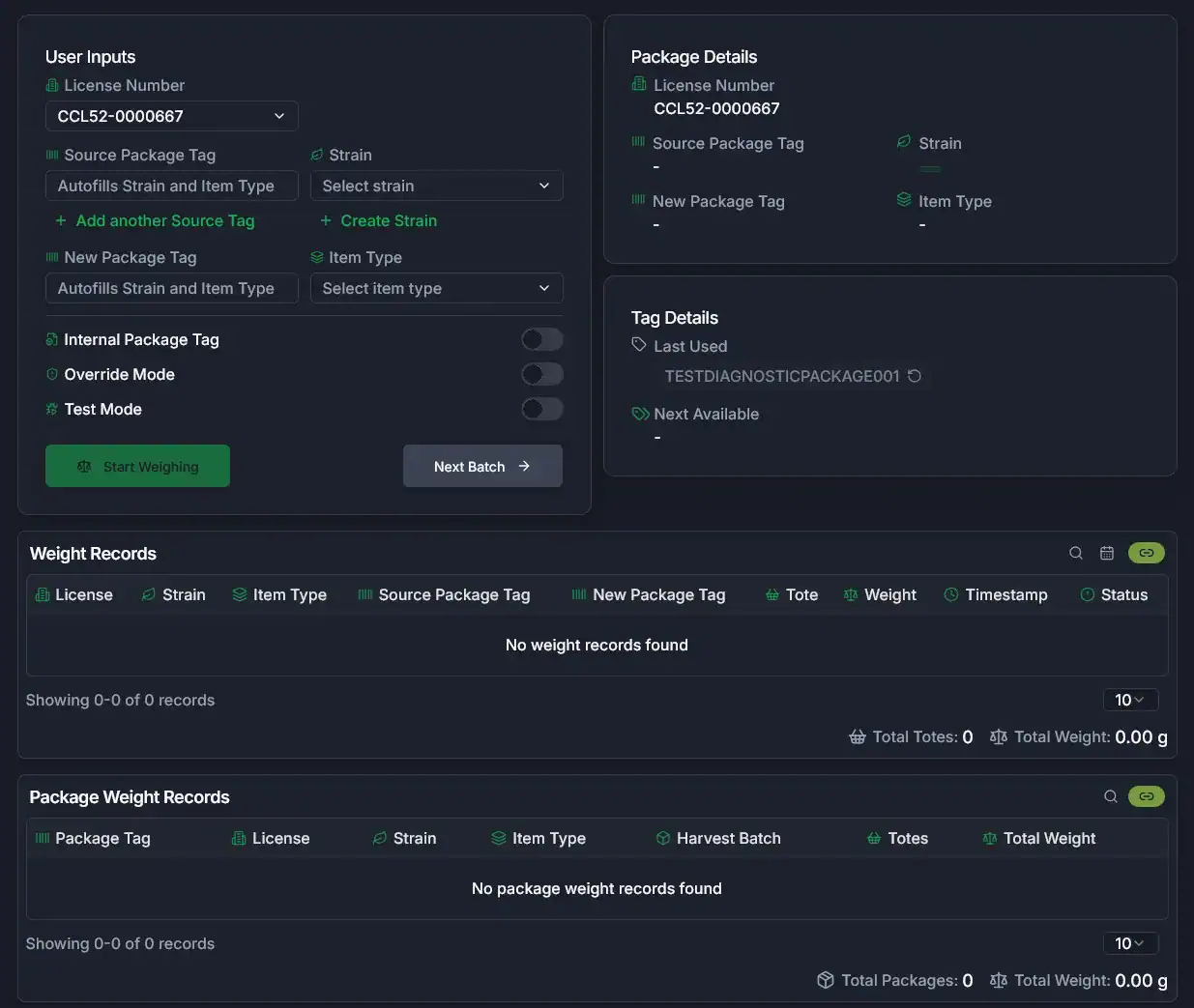
Processing is where material changes shape, and where paper records fall apart. BaykedStation keeps the source packages, the new package and the harvest batch together on every weighing.
Source Packages In, New Packages Out
Enter one source package tag or several. The strain fills in from the source tag. Scanning the new package tag fills in strain and item type from that package’s history. Prefer to tag later? Internal Package Tag lets the station generate one.
Your Grade Names at Every Stage
Weigh every stage under your own grade names: letters, sizes, or both.
Processing Weight Records
The same two panels as Harvest. Weight Records lists every weighing. Package Weight Records shows each new package with its harvest batch, tote count and total weight, so you can trace what went in to what came out. Void a misweigh with a reason, or reprint its label.
99.9% of processing weighings are tied to the METRC package they fill, and 1,500+ harvest batches were traced from harvest to a shipped package in the past year.
More for processors: cannabis processing software built on BaykedStation.
Workflow 03 · Trim Room
Trim Room Production Tracking
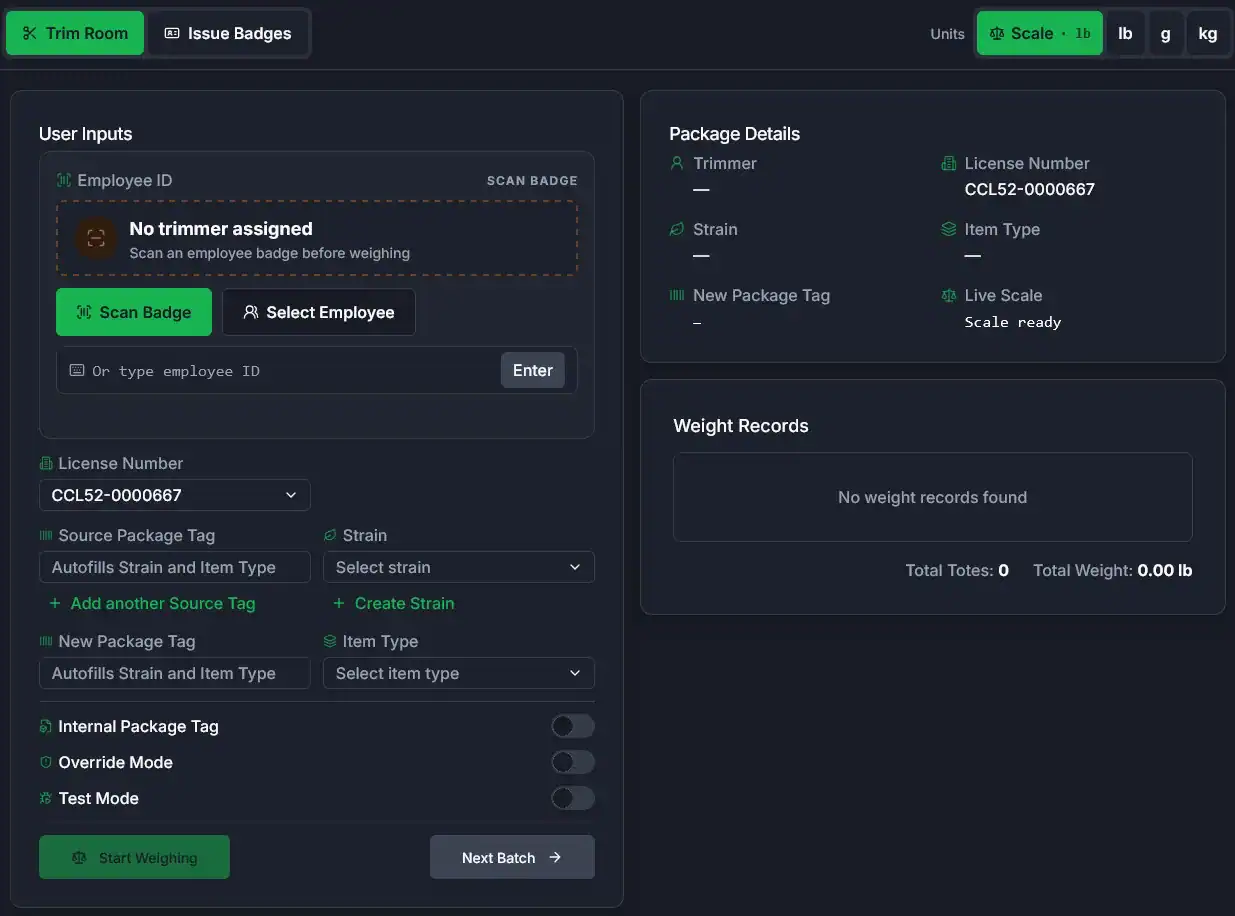
The trim room adds one thing to the weighing: who did the work. A trimmer scans their badge, and every weight that follows is credited to them.
Every Weight Credited to the Right Trimmer
Scan a badge, pick a name or type an employee ID. A badge the station doesn’t recognize can go to a provisional trimmer for a supervisor to sort out later, so the line doesn’t stop for a lost badge. License, source tag, new package tag, strain and item type work the same way they do in Processing.
Employee Badges, Printed at the Station
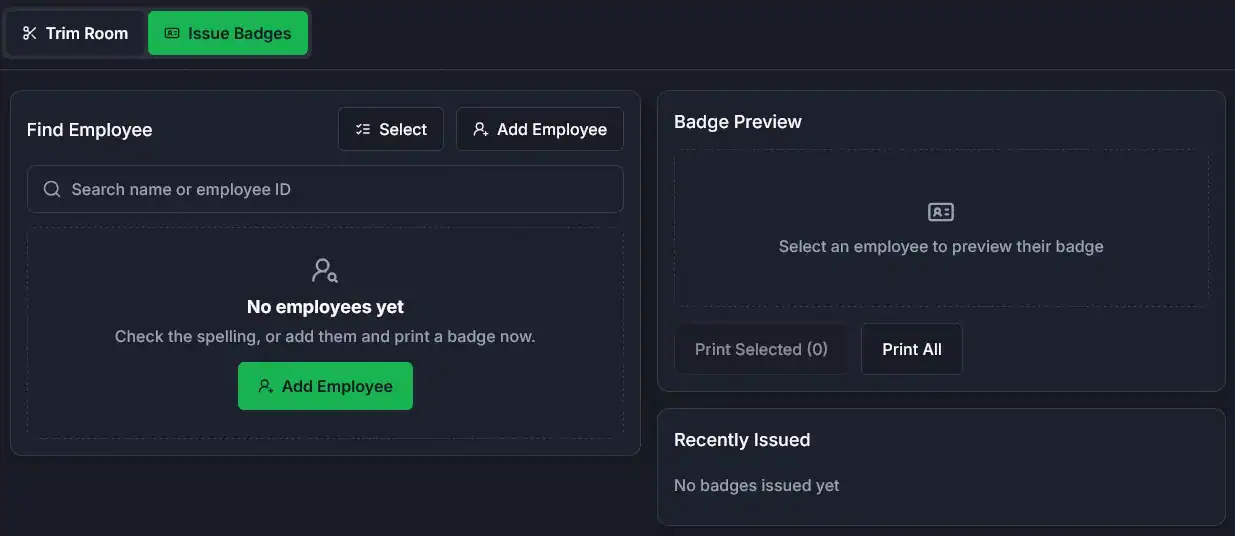
Search or add employees, preview the badge, then print one, a selection or the whole crew on the station’s Zebra printer. Recently Issued shows what went out today.
- Code 128 barcode on a 4 × 2 inch label
- Name, badge code and employee number on every badge
- Scanned with the same barcode scanner as your package tags
Trim room reporting
Know What Your Trim Room Is Producing
Shift totals build as the weights come in, not on a clipboard at the end of the day. Use them to staff the next shift and to see which strains are moving.
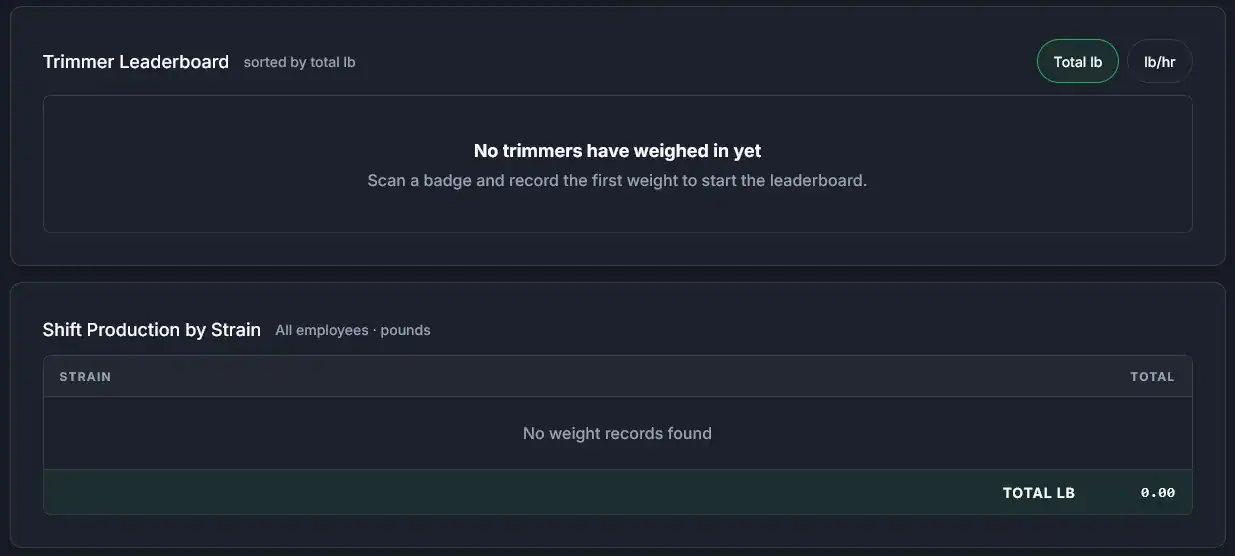
Shift Leaderboard
Each trimmer’s total for the shift, sorted by pounds or by pounds per hour. Pounds per hour counts only time on the clock trimming; breaks and end of shift stop it. A bench that has stalled shows up before the shift is over.
Shift Production by Strain
Every strain the room trimmed this shift, by item type, with a total across the crew. Open any trimmer’s row for their own strain breakdown. Show the room in the scale’s unit, or switch to lb, g or kg.
What’s Next for the Trim Room
We’re adding more trim-room reporting this season. Ask what’s coming when you book a demo.
More on our demo videos page.
English · Español
Built for Bilingual Crews
The person on the scale switches BaykedStation between English and Spanish from the header. Nobody has to stand next to them translating while a tote waits.
- Harvest, Processing, the Trim Room and badges, in both languages
- On-site commissioning and training in English and Spanish
- Manuals and quick reference guides in both, digital and printed
BaykedStation + BaykedFarm
From BaykedStation to BaykedFarm
Paired with your NTEP scale, BaykedStation sends every weight to BaykedFarm, and 9 in 10 arrive within two seconds. When the connection drops in the field, weights wait on the station and catch up when it’s back.
Checked Before METRC
Every weight lands in BaykedFarm first. Our team cleans the totals and confirms them with the person at the scale before anything goes to METRC.
Re-Checked, Not Doubled
When METRC times out, we re-check before we retry, so a timeout doesn’t lose or double a record.
The Office Sees It Too
Weights, packages and harvest batches are in BaykedFarm for the people running the operation, without asking the floor for a sheet.
What Stops Happening on Your Floor
No handwritten weight sheets
The scale’s reading is the record.
No retyping into a spreadsheet
The office works from what the station saved.
No waiting until tomorrow to make the package
7,300+ packages were weighed on BaykedStation in the past year, and 96% were made in METRC the day they were weighed.
No hunting for which tote went where
Each one carries its batch and package.
No guessing who trimmed what
The badge settles it.
No translator standing at the scale
The crew reads the screen in English or Spanish.
One California farm went from nine people on harvest days to two. Read the case study.
Who Runs BaykedStation
Cultivators
Wet weights at harvest, by tote, tied to the plant tags and the batch.
Processors
Dry, buck, trim, sort and grade on one station, or one station per stage.
Manufacturers
Each extract stage weighed by name, from bubble-hash microns to first and second rosin presses.
Trim Operations
Badge in, weigh, and see the shift’s output by trimmer and by strain.
Implementation
What’s on the Cart
We set the station up on your floor, train your crew in English and Spanish, and support it after harvest starts.
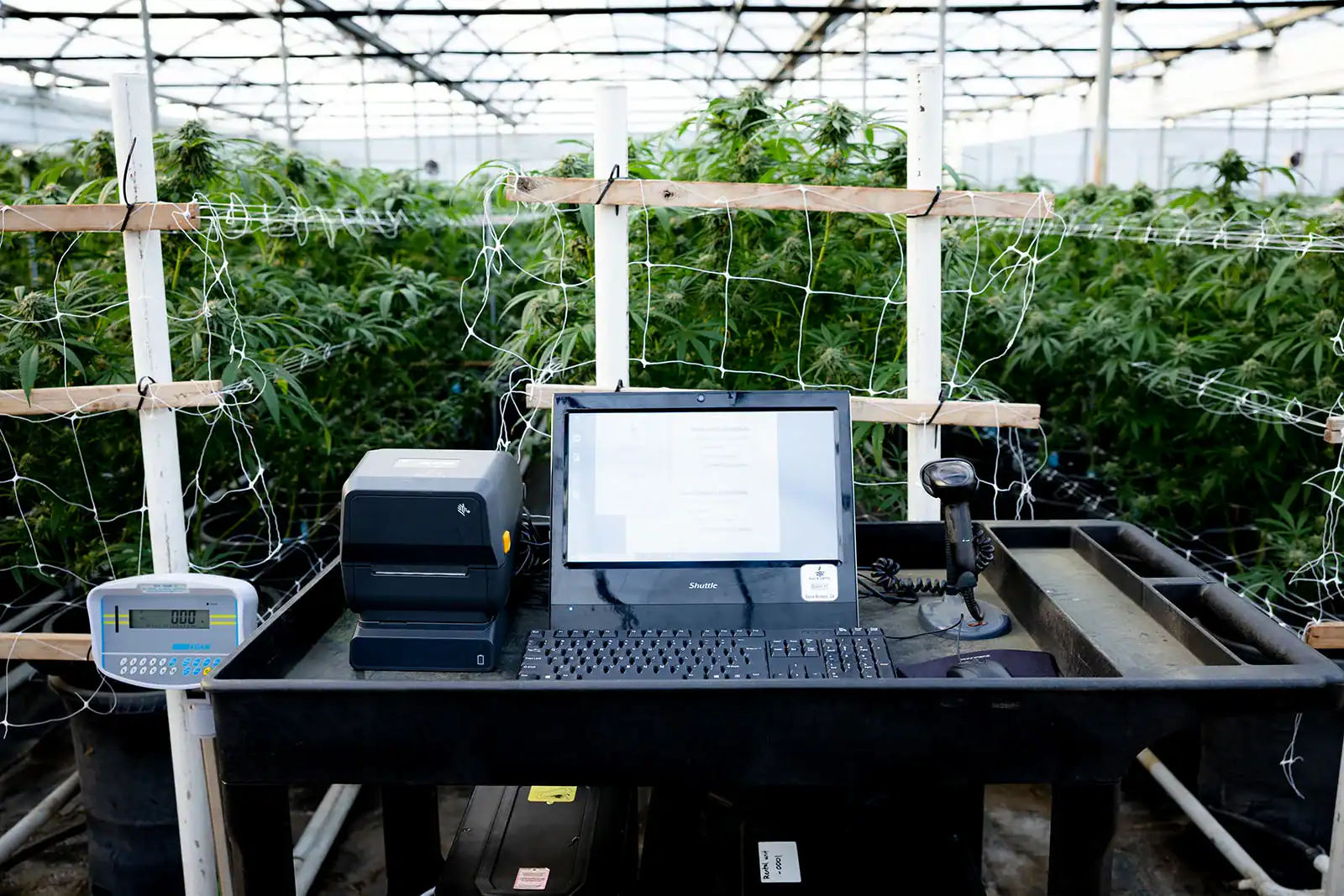
| Scale | Any NTEP scale or indicator with a serial (RS-232) output. Each press of Print is one weigh-in. See the NTEP scales and indicators we work with. |
|---|---|
| Software | Our software holds NTEP Certificate 21-101A1. |
| Printer | Any Zebra printer, direct thermal or thermal transfer. It prints weight labels, employee badges and more. |
| Scanner | USB barcode scanner for package tags, plant tags and badges. |
| Connection | WiFi or wired. Weigh-ins are stored on the station while offline. |
| Upgrades | 5G wireless and battery power, for fields and rooms without power or signal. |
| Setup | On-site commissioning and training in English and Spanish. |
| Support | Tech support 5:30 am to 7:30 pm PT, Monday to Friday, and 8 am to 5 pm Saturday. |
Choosing a scale for each stage? Read the cannabis scales guide.
FAQ
BaykedStation Questions
Does BaykedStation work with the scale we already have?
If it’s an NTEP scale or indicator with a serial (RS-232) output, usually yes. BaykedStation reads the weight each time you press the scale’s Print button. Not sure about yours? Send us the model.
How does a weight get from the scale into METRC?
BaykedStation sends each weight to BaykedFarm within seconds. We check the totals there and confirm them with the person at the scale, and BaykedFarm reports the approved records to METRC.
What happens when the internet drops in the field?
Keep weighing. Each weight is saved on the station and sent in order when the connection comes back. In the past year 3,300+ weighings waited on a station for a connection, then arrived. Picking from Next Available tags needs a connection; scanning or typing a tag doesn’t.
Can one station run harvest, processing and the trim room?
Yes. We turn on the workflows you need on each station. Or set up a station for each stage; our clients run up to five at once at a single facility.
How does the trim room know who trimmed what?
Each trimmer scans their employee badge before weighing, and every weight after that is credited to them until the next badge. Badges print at the station.
What does the trim room leaderboard show?
Each trimmer’s total pounds for the shift, and their pounds per hour while trimming, with breaks left out. Below it is the room’s production by strain and item type.
What printers work with BaykedStation?
Any Zebra printer, direct thermal or thermal transfer. It prints weight labels, employee badges and more.
What languages does BaykedStation support?
English and Spanish. The operator switches languages from the header on the station.
What does NTEP Certificate 21-101A1 cover?
Our software. It prints the gross weight from any NTEP scale or indicator with an RS-232 output; the scale and indicator carry their makers’ own certificates. Read the certificate.
See BaykedStation on Your Floor
We’ll walk your harvest, processing or trim room with you and show where a station goes.